[!NOTE] This is a fork of yorukot/superfile by Lucas Van De Weerd. It follows upstream and adds the fixes and features below. Everything else in this README is upstream's.
What this fork changes
Merged from open upstream pull requests (original authors kept on the commits):
| Change | Upstream issue / PR |
|---|---|
| Nix flake builds again (pins Go 1.26) | #1634 / #1635 |
cd_on_quit asks spf for the lastdir path, so it works with any install and XDG_STATE_HOME |
#1274 / #1629 |
bat_flags config option for the bat previewer |
#1193 / #1584 |
theme = "auto" picks theme_light or theme_dark from the terminal background |
#468 / #1500 |
Copy and paste files through the system clipboard (C / V) |
#741 / #1607 |
| Cut and paste no longer overwrites a same-named file | #1593 |
New in this fork:
| Change | Upstream issue |
|---|---|
Copy (T) or move (M) items straight into the next panel |
#135 |
terminal theme that uses your terminal's 16-color palette |
#681 |
| Search and sort results show up at once in folders with 300+ files | #928 |
Binaries whose names look like man pages (bin.3) are no longer previewed as text |
#933 |
File picker docs for --chooser-file |
#1023 |
Ideas from walk (MIT, credited in NOTICE.md):
| Change | Details |
|---|---|
| Jump to the first or last item | g / home and G / end (list_top, list_bottom) |
| Undo the last move to trash | u (undo_delete); each press restores one batch further back. Not on Windows |
| Show only directories | spf --dir-only |
cd "$(spf --print-last-dir)" works |
With stdout captured, the UI (and config warnings) go to stderr. See the lk shell function in the config docs |
Build it from source with ./build.sh (needs Go 1.26 or newer); the binary ends up in ./bin/spf. make build also runs golangci-lint, so it needs that installed.
superfile is supported by the community.





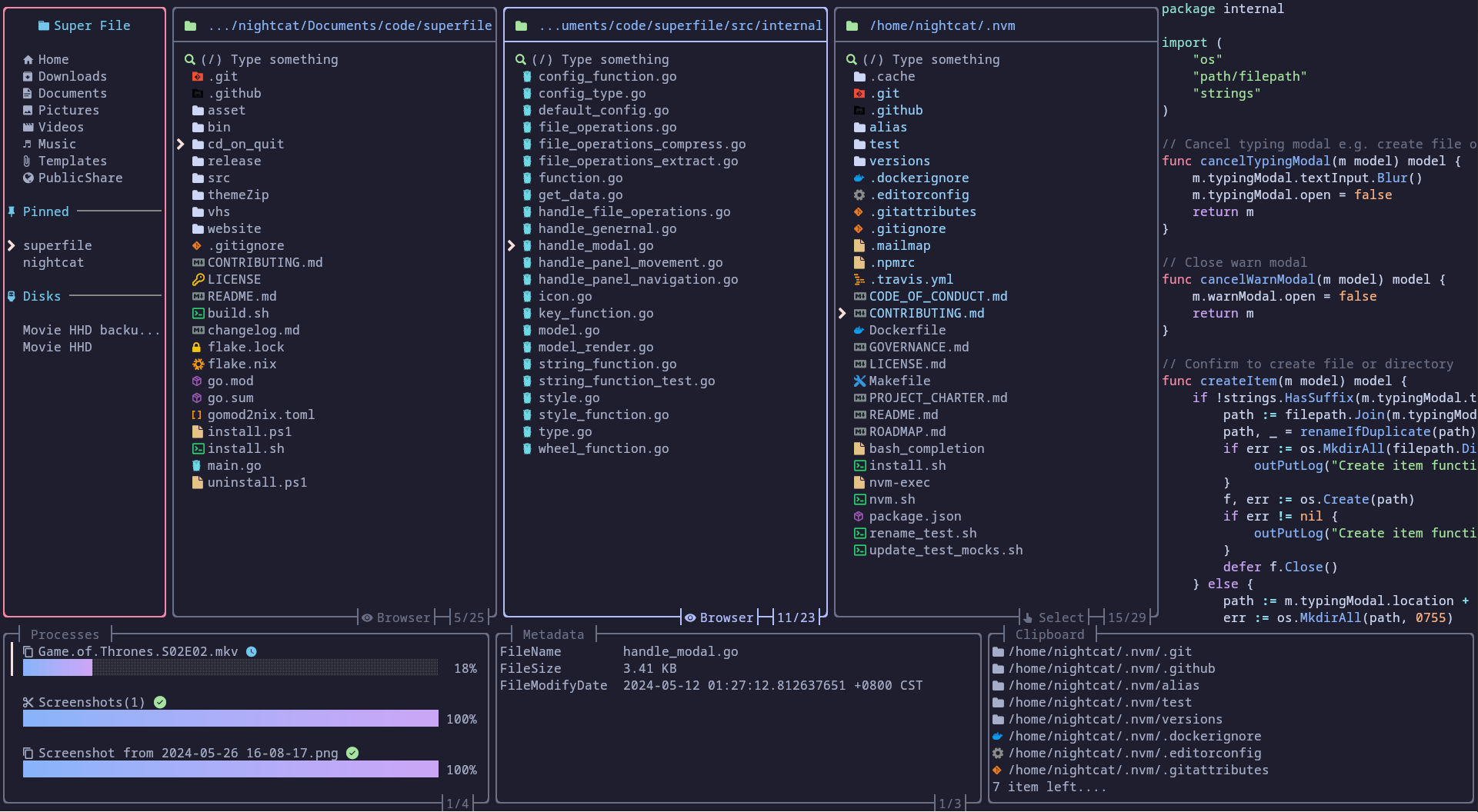
Run it locally, step by step
Install Go 1.26 or newer.
Get the code:
git clone https://github.com/Gitguy268/superfile.git
cd superfile
Build it:
go build -o bin/spf .Run it:
./bin/spfPress
qto quit.
Demo
| Perform common operations |
|---|
 |
Content
- Demo
- Content
- Installation
- Build
- Start superfile
- Supported Systems
- Tutorial
- Plugins
- Themes
- Hotkeys
- Notes
- Troubleshooting
- Uninstalling
- Contributing
- Thanks
- ༼ つ ◕_◕ ༽つ Please share.
Installation
macOS and Linux
bash -c "$(curl -sLo- https://superfile.dev/install.sh)"
If you want to inspect the script, see : install.sh
Windows
Powershell
powershell -ExecutionPolicy Bypass -Command "Invoke-Expression ((New-Object System.Net.WebClient).DownloadString('https://superfile.dev/install.ps1'))"
If you want to inspect the script, see : install.ps1
Winget
winget install --id yorukot.superfile
Scoop
scoop install superfile
More installation methods
Click me to check on how to install
Build
You can build the source code yourself by using these steps:
Requirements
Build Steps
Clone this repository using the following command:
git clone https://github.com/yorukot/superfile.git --depth=1
Enter the downloaded directory:
cd superfile
For macOS/Linux
Run the build.sh file:
./build.sh
Add the binary file to your $PATH, e.g., in /usr/local/bin:
sudo mv ./bin/spf /usr/local/bin
For Windows
go build -o bin/spf.exe
Edit System Environment Variables and add superfile repo's bin directory to your PATH
Start superfile
spf
Supported Systems
- [x] Linux
- [x] macOS
- [x] Windows (Not fully supported yet)
Tutorial
After you install superfile, you can go here to briefly understand how to use superfile!
Plugins
Themes
Hotkeys
[!WARNING] If you are vim/nvim user please change your default hotkeys config to vim version!
Click me to see the hotkey wiki
Notes
We have an auto update functionality, that fetches superfile's latest released version from github (if last timestamp of last version check was less than 24 hours) and prints a prompt to user, if there is a newer version available.
You can turn this off, by setting auto_check_update to false in superfile config. Click me to see the config wiki
Troubleshooting
Click me to see common problem fix
Uninstalling
macOS and Linux
bash -c "$(curl -sLo- https://superfile.dev/uninstall.sh)"
If you want to inspect the script, see : uninstall.sh
Windows
To uninstall superfile on Windows, use this powershell script.
powershell -ExecutionPolicy Bypass -Command "Invoke-Expression ((New-Object System.Net.WebClient).DownloadString('https://superfile.dev/uninstall.ps1'))"
Contributing
If you want to contribute please follow the contribution guide
Thanks
Support
- a Star on my GitHub repository would be nice 🌟
- You can buy a coffee for me 💖
Core maintainer
We welcome anyone who wants to become a core maintainer. Feel free to reach out!
- @yorukot - Original author and maintainer
- @lazysegtree - Core maintainer
Contributors
Thanks to all the contributors for making this project even greater!
Powered by

Thanks to JetBrains team for providing open-source licenses to support the maintenance of superfile.
Star History
THANKS FOR All OF YOUR STARS! Your stars are my motivation to keep updating!